During Momentum, Tensoft’s annual user conference, I walked through what’s new in the latest release of Microsoft Dynamics 365 Business Central.
Microsoft continues to double down on AI in the 2026 Release Wave 1, and it shows. Across Copilot, task-specific agents, reporting tools, and operational features, this release brings meaningful improvements designed to simplify everyday work and drive efficiency.
Here’s a look at some of the new features that Business Central users should have on their radar:
Feature Management
The Feature Management tool in Business Central allows users to preview and test upcoming functionality before it becomes generally available.
By accessing Feature Management, users can enable select features such as those planned for a future release wave in either a sandbox or production environment.
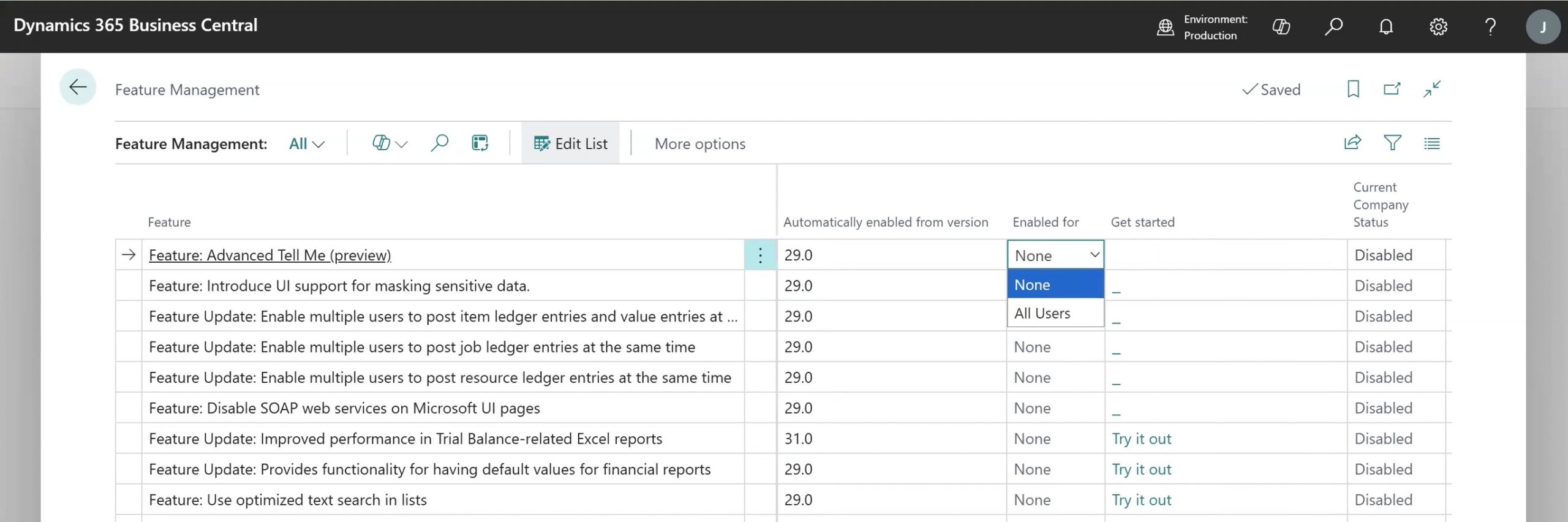
This early access provides time to evaluate, test, and potentially begin using new capabilities ahead of full rollout. Because these features are still in development and not fully released, it’s recommended to enable and test them in a sandbox environment first.
Copilot & Agents
Copilot in Business Central acts as a conversational assistant that users can rely on for both data analysis and everyday support. It can be especially useful as a first step in troubleshooting allowing users to ask questions, discover reports, or access relevant information without immediately creating a support ticket.
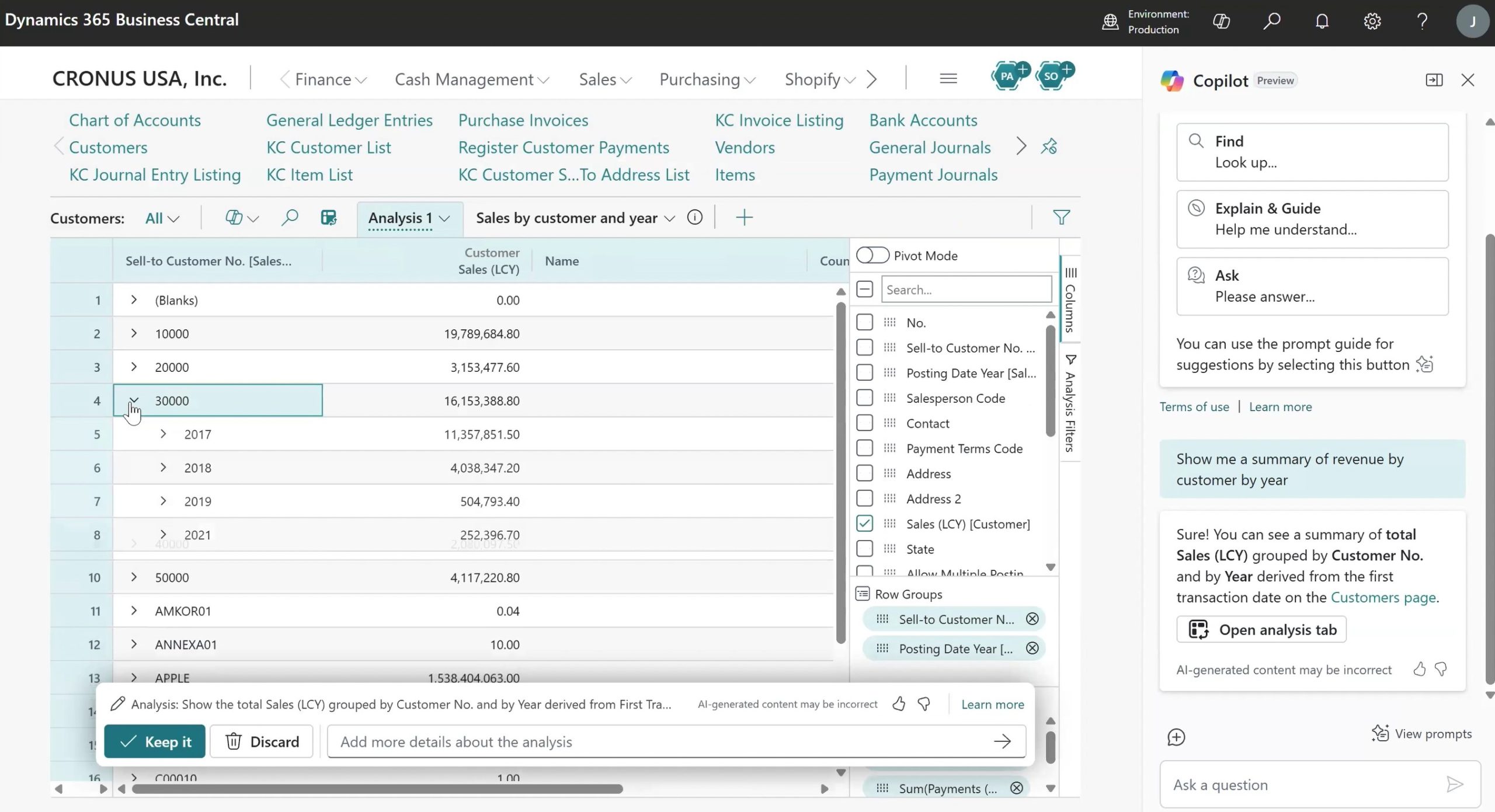
Using natural language, Copilot can generate analysis views similar to pivot tables for tasks with built-in drill-down capabilities for deeper insights. For example, a query like “Show me a summary of revenue by customer by year” will generate an interactive view that allows users to further explore the data.
Payables and Expense Agents
In addition to Copilot chat, Microsoft continues to expand its suite of task-specific agents:
- Payables Agent has been around for a while, and this automates mapping of your vendors invoices into purchase invoices, reducing manual data entry.
- Expense Agent is a new tool that helps streamline expense management by capturing receipts, tracking spending, and assisting with report submission.
Business Central also now includes native expense reporting functionality, enabling users to create, approve, and post expense reports with or without AI assistance.
A key point to note is that many of these agents use a consumption-based pricing model, similar to third-party automation tools that charge based on transaction volume. This makes it important to evaluate usage and ROI based on automation benefits and reduced manual effort. Overall, these agents are designed to improve productivity and free up time for higher-value work.
Stay tuned for Part 2, where we’ll dive into additional enhancements across financial reporting and operational features.

